Two useful AI workflows can still break each other
Automation does not become reliable just because every workflow works on its own.
When good workflows collide
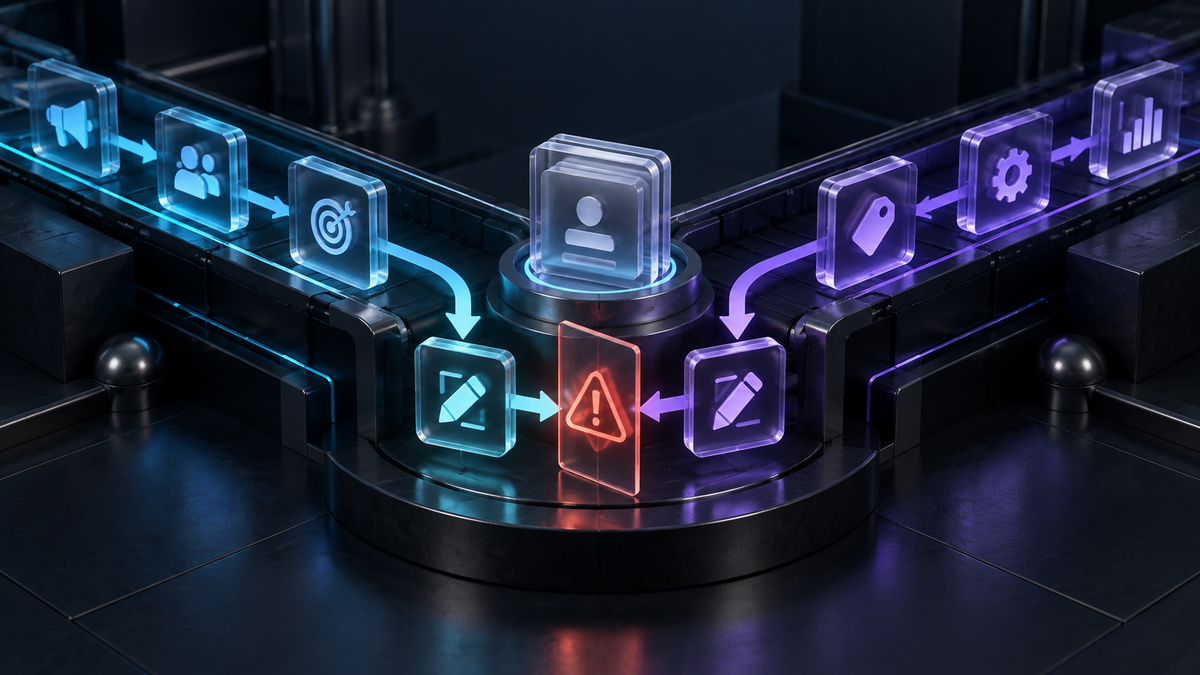
A business can build two automations that each pass every test and still create a bad result when they run together.One workflow updates a customer record. Another reads the old version a few seconds earlier and sends the wrong message. One assigns a task; another sees the same event and creates a duplicate. One pauses a campaign; another restarts it because its rules were written for a different s
Each workflow is doing what it was told. The problem is that nobody designed the relationship between them.
The hidden assumption: only one thing changes at a time
Most workflow tests follow a clean sequence: an event happens, the automation runs, and the result is checked. Real businesses are not that tidy.
Customers reply while records are being updated. Staff make manual changes while automations run. Two systems receive the same event. A retry starts before the first attempt has fully finished. One workflow completes w
Where collisions usually happen
Shared records. Two workflows may update the same contact, deal, task or document. If neither checks whether the record has changed, the last update can overwrite the better one. A successful workflow log may conceal a removed human correction or newer customer detail.
Shared triggers. The sa
Shared destinations. Different workflows may send work to the same inbox, channel, customer or employee. Even individually correct messages can feel noisy or careless. A customer does not experience two separate automations; they experience one business.
Retries and delays. If the first run succeeded but reported late, a retry can repeat the action. A delayed step can also act on information that was accurate when the process started but is no longer current.
Manual work. If a staff m
The fix is coordination, not more automation
The answer is not one giant workflow for everything. That creates a process nobody can understand or safely change. Instead, give related workflows a few shared rules.
Start with ownership. For every important record or decision, define which workflow is allowed to make the final change. Other workflows can suggest, enrich or request action, but one owner should control the decisive update.
Then define order. A foll
Add duplicate protection. Before creating, sending or charging, check whether the action already happened. Use a clear event ID, status or timestamp rather than similar text. A unique identifier is safer than asking an AI system whether two requests “look the same”.
Check freshness. A workflow should confirm that the information it is using is still current. If the record changed after the workflow started, it may need to pause, recalculate or ask a person to decide.
Finally, make conflicts vi
A practical collision check
Before adding a new workflow, map five things: 1. What starts it? 2. What does it read? 3. What can it change? 4. Who or what receives the result? 5. Which existing workflows touch the same places?
Any overlap is a prompt to decide the rule. If two workflows write to the same field, choose an owner. If two contact the same customer, set a communication priority.
I also recommend testing awkward cases, not just the happy path: two events arriving together, a person editing the record mid-run, a retry after a successful action, and a business-rule change while a previous run is still in progress. These scenarios reveal the relationship between workflows, where the real risk lives.
Why this matters as AI does more work
Traditional automations often follow narrow, fixed paths. AI workflows can make decisions, create content and choose actions using broader context. That makes them more useful, but it also gives collisions more ways to appear.
A workflow can be accurate in isolation and still be wrong in context. It m
The business needs a view across the work: what is running, which rules apply, who owns the result and what happened most recently.
The standard to keep
Before a workflow goes live, do not ask only, “Does it work?” Ask:
- What else can run at the same time?
- - What information could change while it
- At Walter, I am focused on helping businesses coordinate AI work across tools, with clearer ownership, shared context and visible hand-offs. The goal is a system that is easier to trust, inspect and improve.
- Review the system after change, too. Collisions often appear after a workflow, field or team process changes. Add a short collision review whenever a connected workflow is edited. Recheck shared triggers, records, destinations and timing before the new version is treated as live.
- Join the waitlist at https://hirewalter.ai/
- is running?
- - Could this action happen twice?
- - Which workflow has final authority?
- - How will a conflict be seen and resolved?
- If the system cannot answer those questions, the workflows are not ready to work together.
- ight write a thoughtful reply using an outdated customer status, or prioritise a task another process has already closed. More capable systems increase the value of coordination; they do not remove the need for it.
If two create the same task, add a duplicate check. If a delayed workflow uses old information, add a freshness check. If an action cannot be safely repeated, require a unique confirmation before it runs again.
sible. If two instructions disagree, do not let the fastest workflow win silently. Route the conflict to a person or defined rule, and keep enough context to explain what happened. A visible exception is manageable; a silent overwrite is not.
ow-up message should not be sent before the customer record is updated. A hand-off should not be marked complete before the next owner accepts it. If the order matters, represent that dependency rather than hoping timing works out.
ember corrects a record while an automation is running, the automation can undo the correction unless it checks for a newer change. “Manual” does not mean “outside the workflow”; it means a human has become one of its participants.
me form submission, email or status change can start more than one workflow. That creates duplicate tasks, repeated messages or conflicting actions. The trigger may be valid each time, but the intended business event happened only once.
ith information another has already replaced.
Timing is therefore part of the design. So are partial failures, hand-offs and the actions people take between automated steps. If several workflows share records, messages or decisions, “works on its own” is not a sufficient test.
I see this as the point where automation stops being a collection of tool settings and becomes an operating-system question: can the whole system make a consistent decision when useful processes overlap?
ituation.